
This Close: Behind the Scenes
Pulling back the curtain on our confined, pressure-inducing psychological drama, short film.
Shot entirely on iPhone 17 Pro.
Written by Kirk Mihelakos & Ali Wells | December 19, 2025
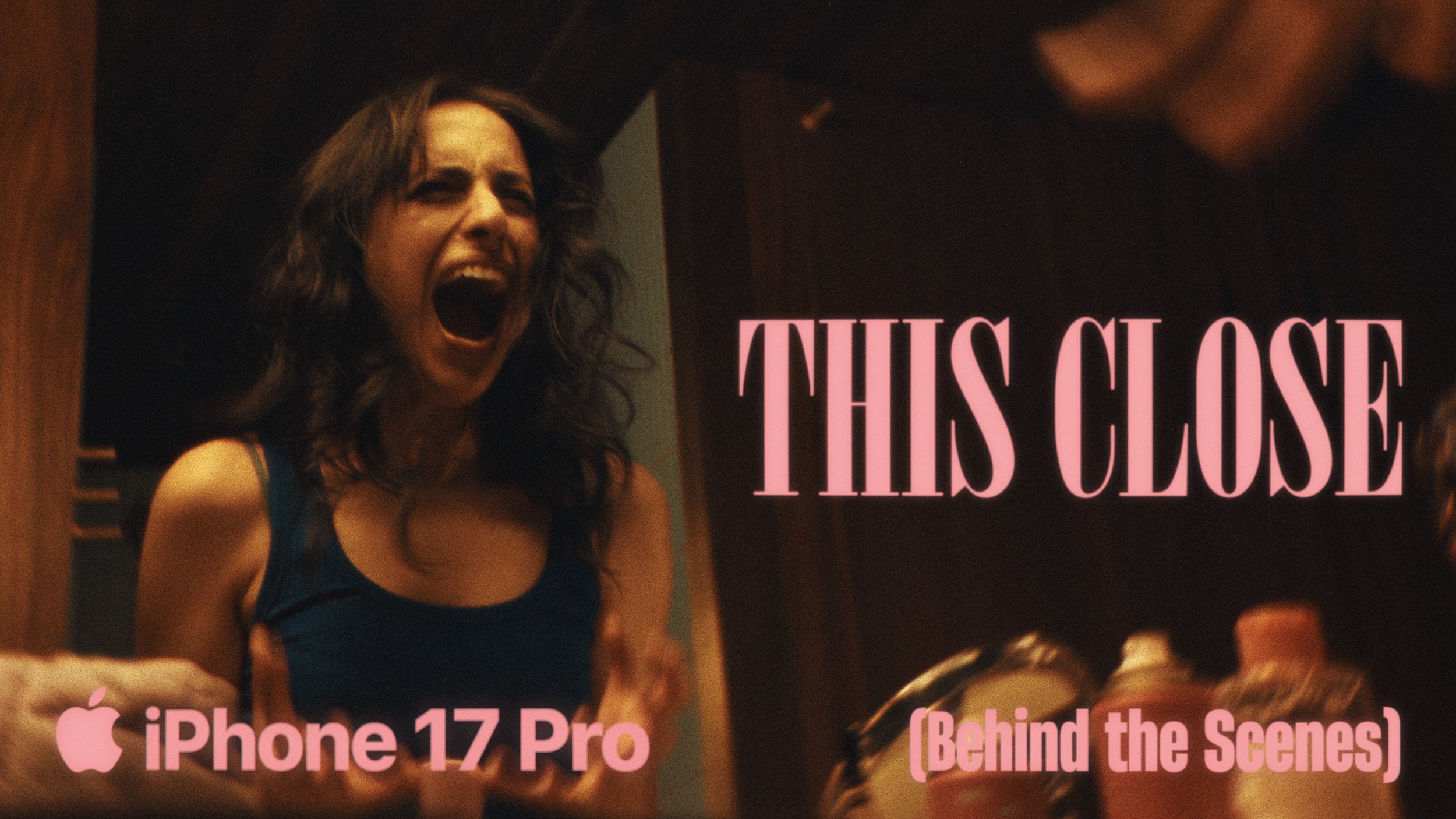
Our fourth and final Shot on iPhone Short Film for 2025. This Close — Written and Produced by Ali Wells and Eva Hatzicostas
To wrap up our film slate for 2025, we wanted to share something bold, unique and also challenge ourselves from a narrative and production perspective for our fourth Shot on iPhone short film. This Close, Directed & Produced by Ali Wells and Eva Hatzicostas, was shot entirely on iPhone 17 Pro by Kirk Mihelakos, and was the first film that we dispatched in the complete, full sensor resolution, 1.39:1, Opengate format. Firstly, a quick word from Ali about how thie narrative & concept for This Close, came to be;
In July, Eva raised the idea of wanting to make a short film where mirrors and reflection function as a character. She explained her vision, and instantly, we became fascinated by concept. Over orange juice and pancakes (thanks Laura!) we brainstormed how we could turn this into a story, and that, was how ‘This Close’ started.
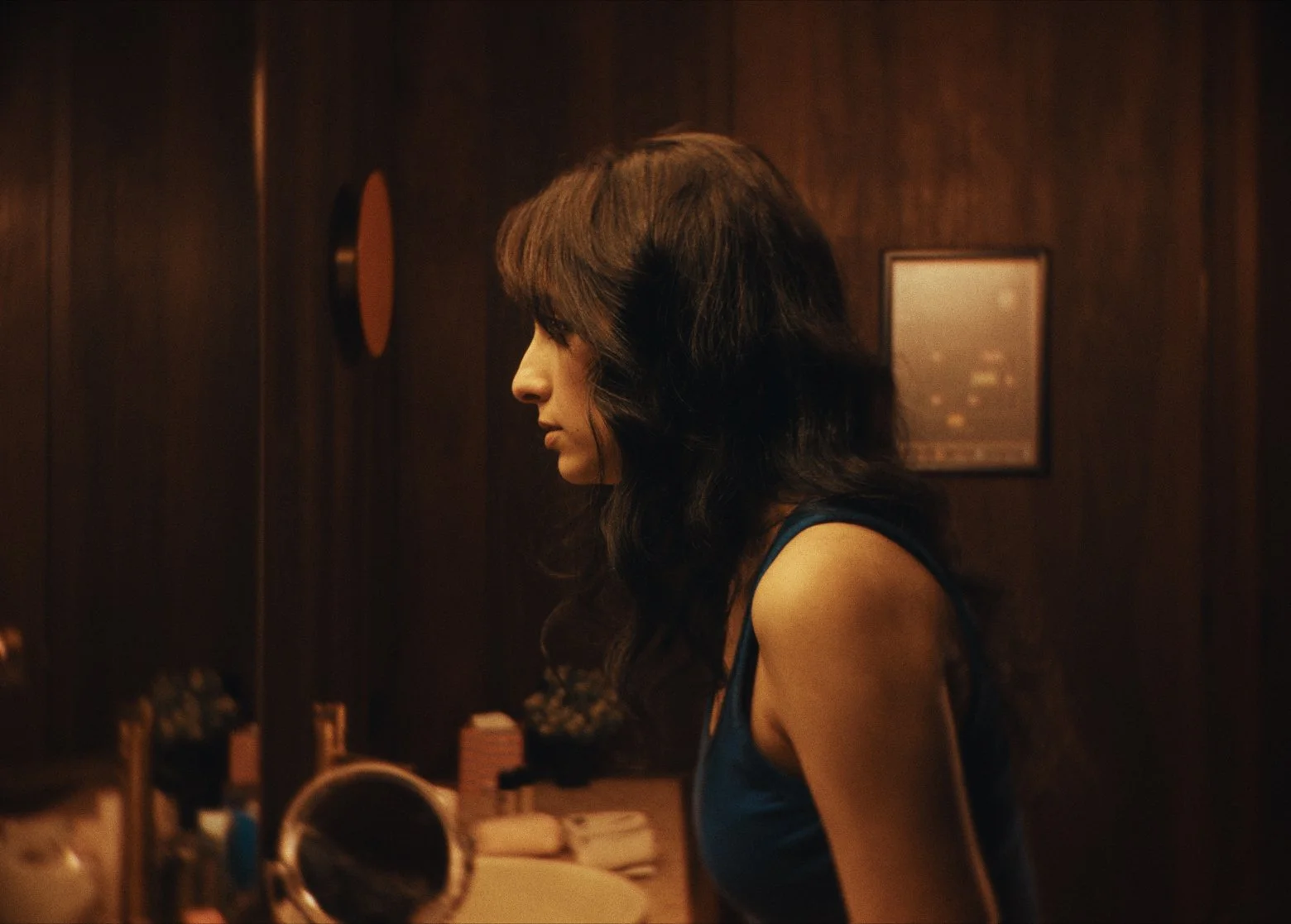
“This Close captures a feeling many people know all too well: the quiet panic of standing in front of a mirror just before you need to leave, picking apart your reflection as pressure builds.”
It’s the layered stress of a clammy bathroom, cluttered surfaces, dripping taps, and phones that won’t stop ringing. You’re this close to a breakdown… this close to screaming, to wiping everything away, when suddenly reality cuts back in. Somehow, at the eleventh hour, you pull it together.
At its heart, This Close is about the pressure we place on ourselves to appear composed and put-together even when we’re all losing it under the surface.
Review This Close on Letterboxd
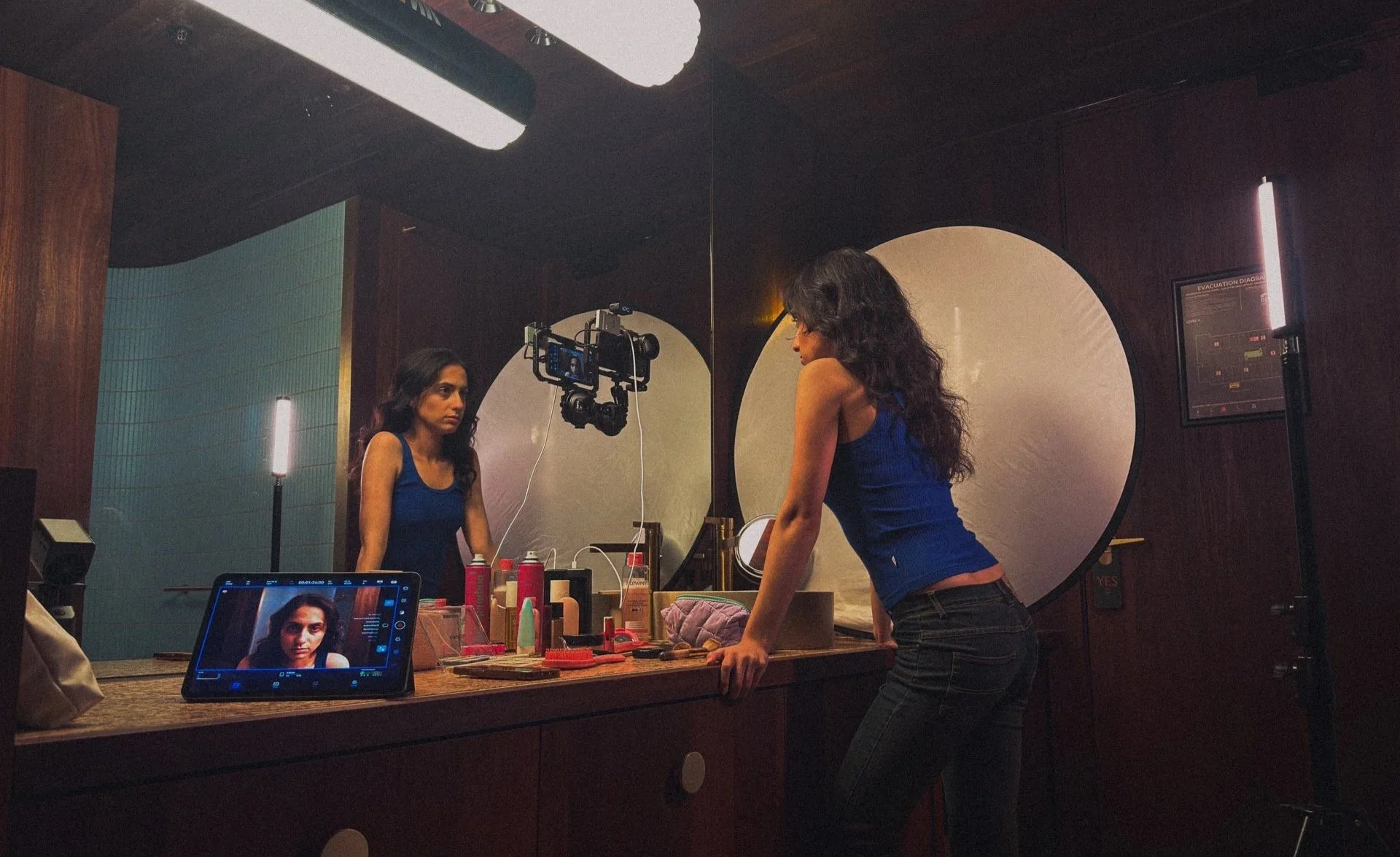
The mirror shot setup on the set of our fourth Shot on iPhone short film — This Close.
Rigging, Lighting and Production Design
For This Close the film was shot on the iPhone 17 Pro using a variety of different rigging techniques, well three mainly. Attaching the iPhone to a mirror, tripod and handheld. Most notably, the mirror setup was achieved by attaching the iPhone to a Smallrig suction cup mount. Given the iPhone is quite lightweight, it’s incredibly easy to get the camera into any location you’d like, which was particularly important for this short, as we' were dealing with an incredibly tight space, and had to be quick with repositioning the camera.
Lighting
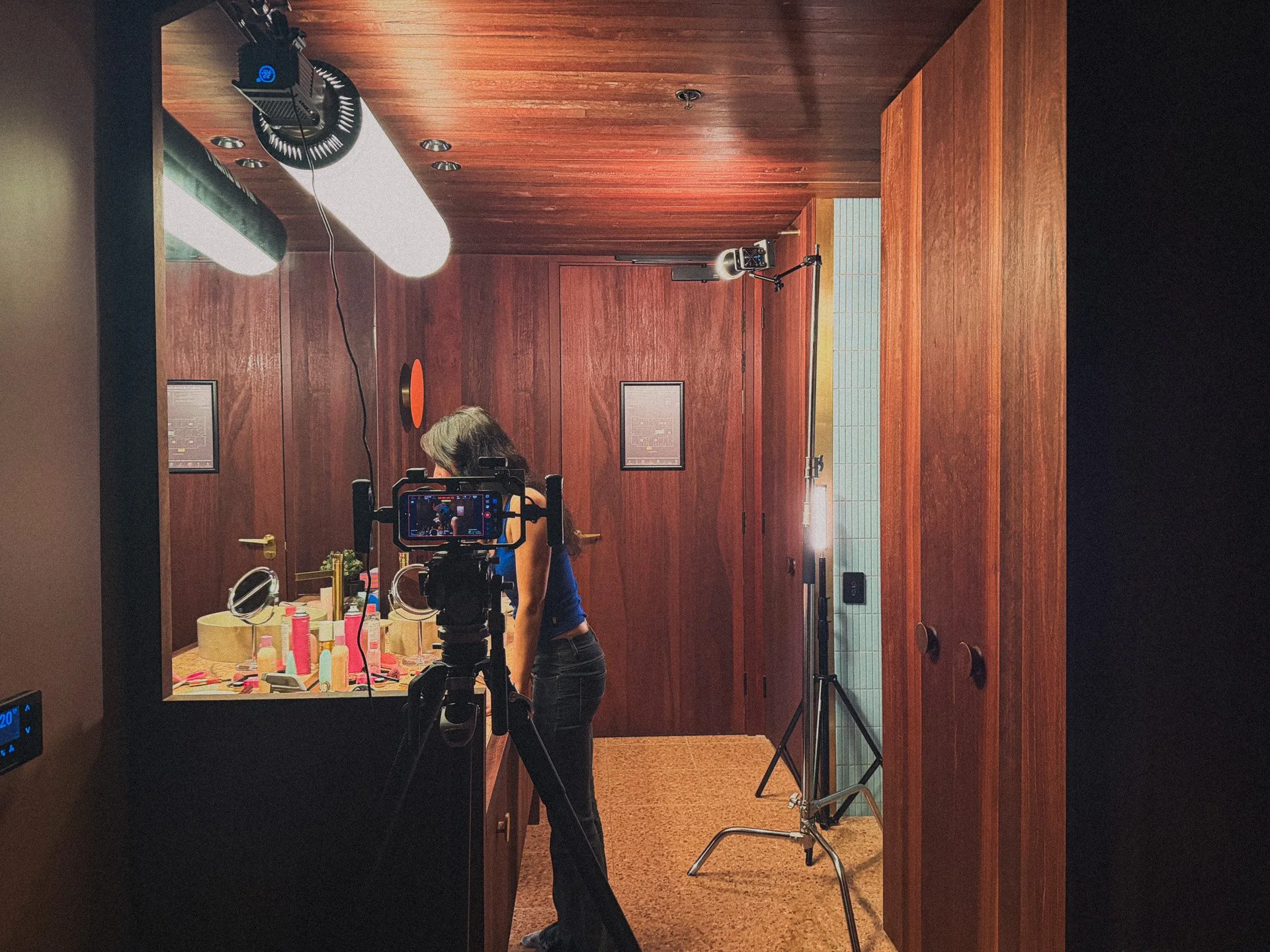
Speaking of closed spaces. Given the hotel set we working in was extremely narrow, we had to be really creative with our lighting setup. Ultimately, I like using as few lights as possible, so setting up one key light, and two small moveable lights was my main goal. We used an Amaran 200X attached to this really cool inflatable Bowens mount tube, which easily attached to a beam in the hotel room using a Cardellini clamp. Shoutout to Mertcan and the guys at Empire Rentals in South Melbourne for the hookup on that one.
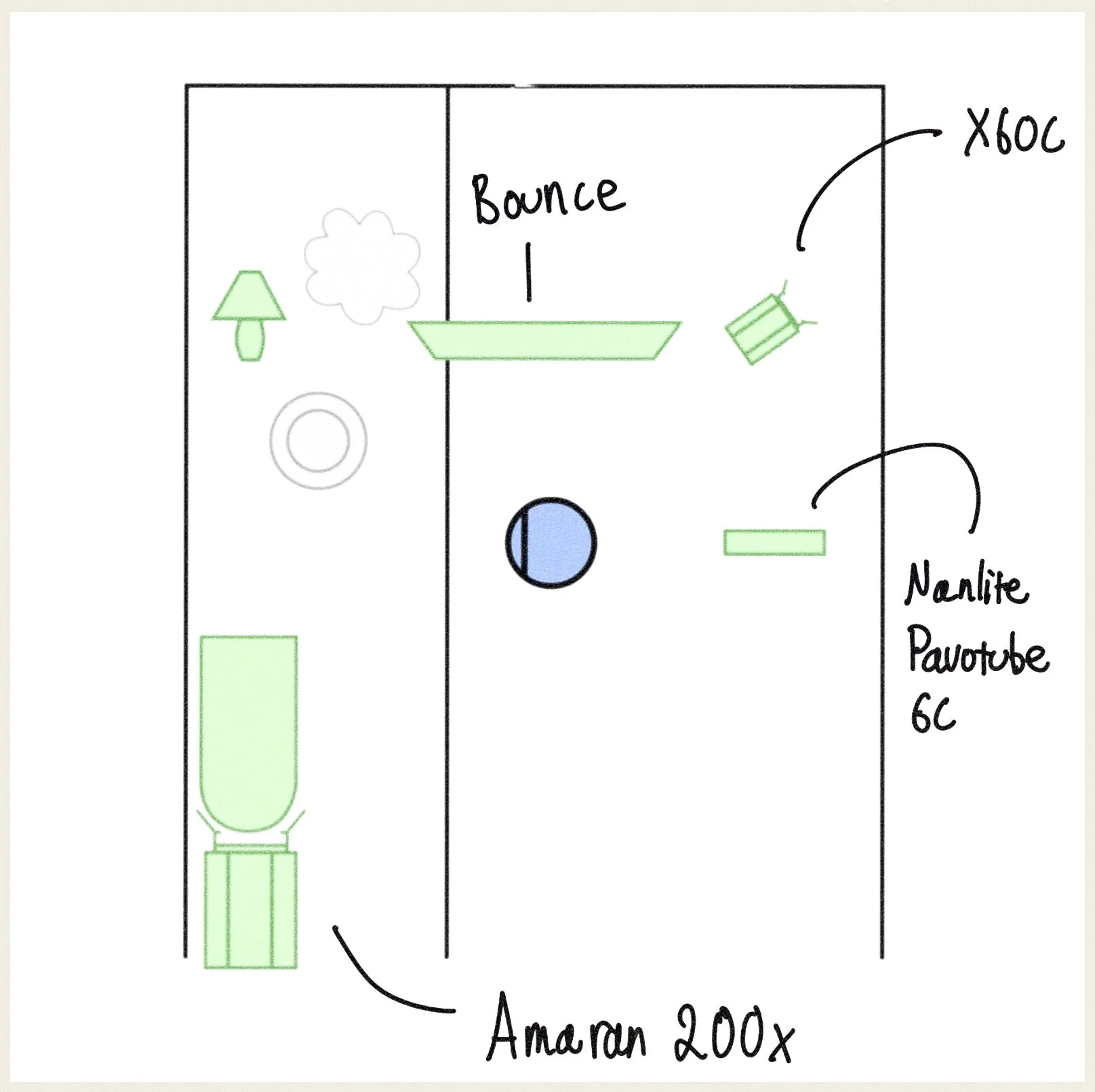
This Close Lighting Interior
Amaran 200x (Key Light)
Light Bank Air Tube (Key Light Modifier)
Nanlite Pavotube (Hair Light)
Ziyuhn X60C on C-Stand (Ambient Fill Light)
Production Design
Ali and Eva did an incredible job amassing an eclectic collection of makeup, bathroom utensils and other household items to populate the bench tops of the hotel room bathroom. Something that proved to be incredibly important in adding depth to each of the shots, but also making the interaction between Eva and the objects feel real and importantly authentic. I’ll note here that good production design, location choices and set dressing make a huge difference when it comes to your cinematography work. If a set looks great, you’ll get the sensation of being able to point the camera anywhere and be really happy with the image being returned.
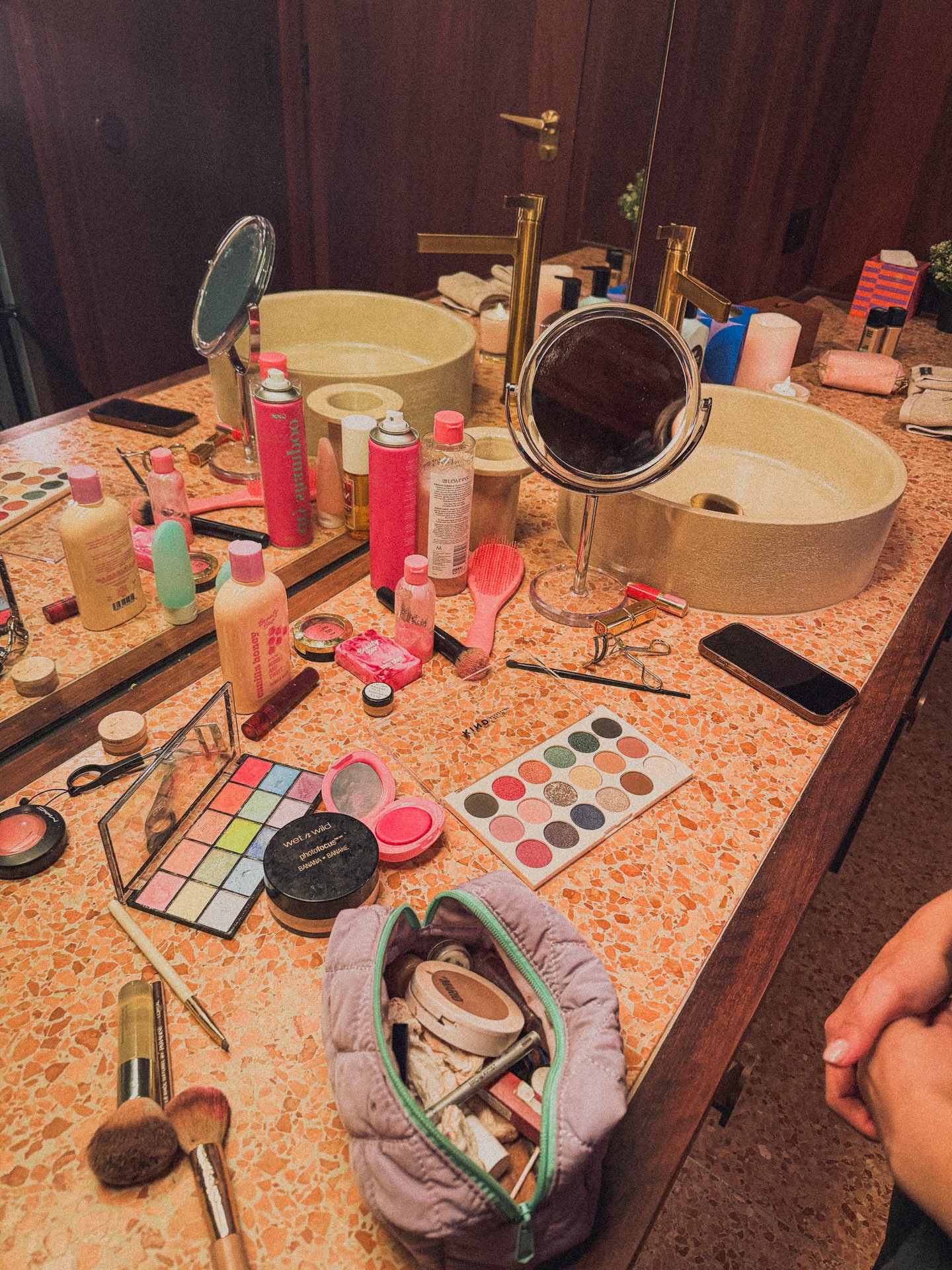
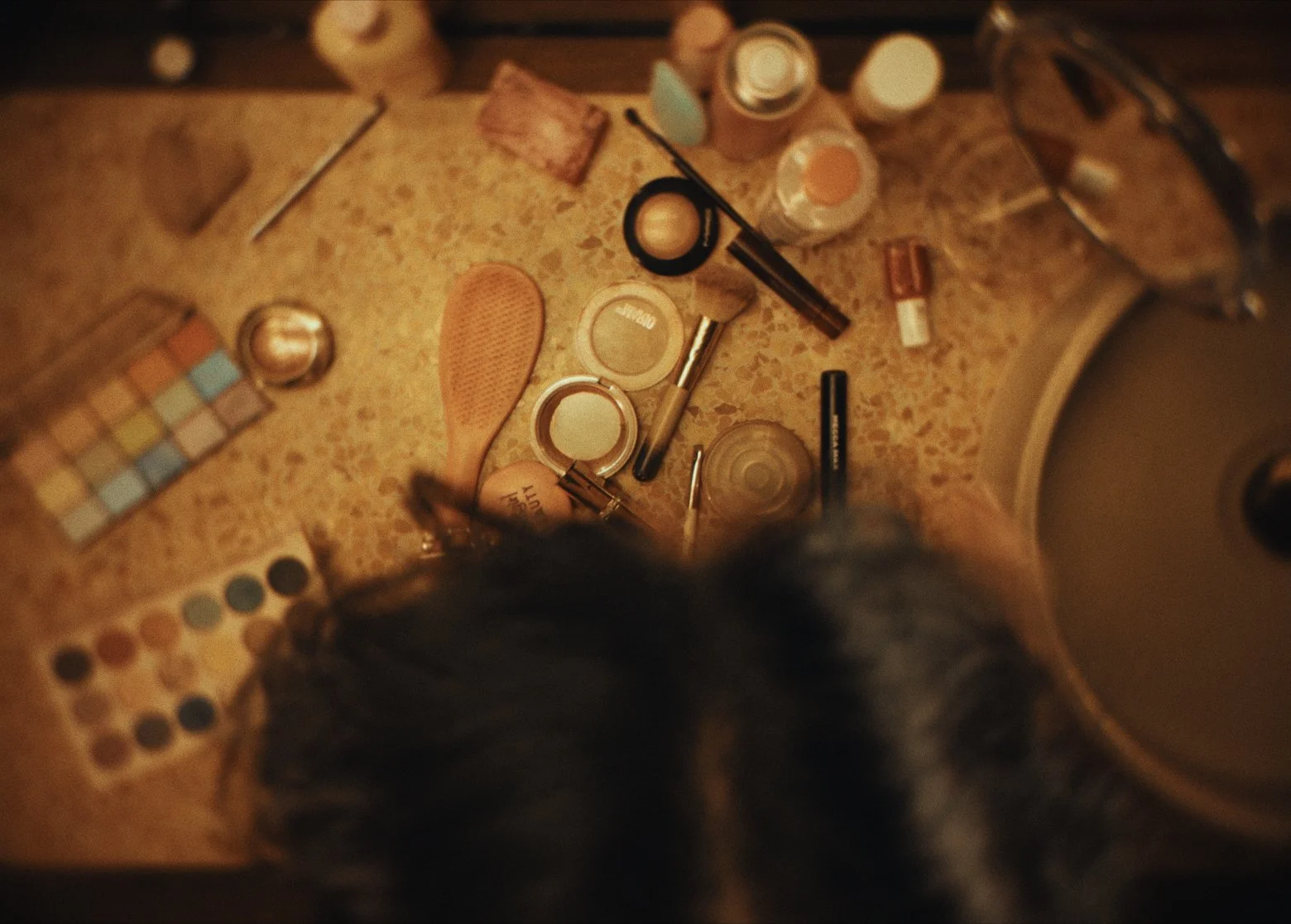
Production design was essential to make the set look lived in, chaotic and claustrophobic.
Lenses
Two main lenses were utilised to shoot the entirety of This Close. Majority on the 40mm (1.7x) Telephoto Freewell lens and the close-up shots on the Sandmarc 100mm Macro lens. The Freewell lens is a little bit larger in front element diameter when compared to the Sandmarc telephoto prime we’ve previously used in Unsaved and Trolley Problem, which enables us to attach an ND filter onto the lens with minimal vignetting. Furthermore, the Sandmarc Telephoto lens, is optically brilliant, similar to the other lenses by Sandmarc. Sharp centre, clean corners, it’s fantastic and produced some of my favourite closeups we’ve ever shot with the iPhone. Both lenses attach to the main wide of the iPhone.
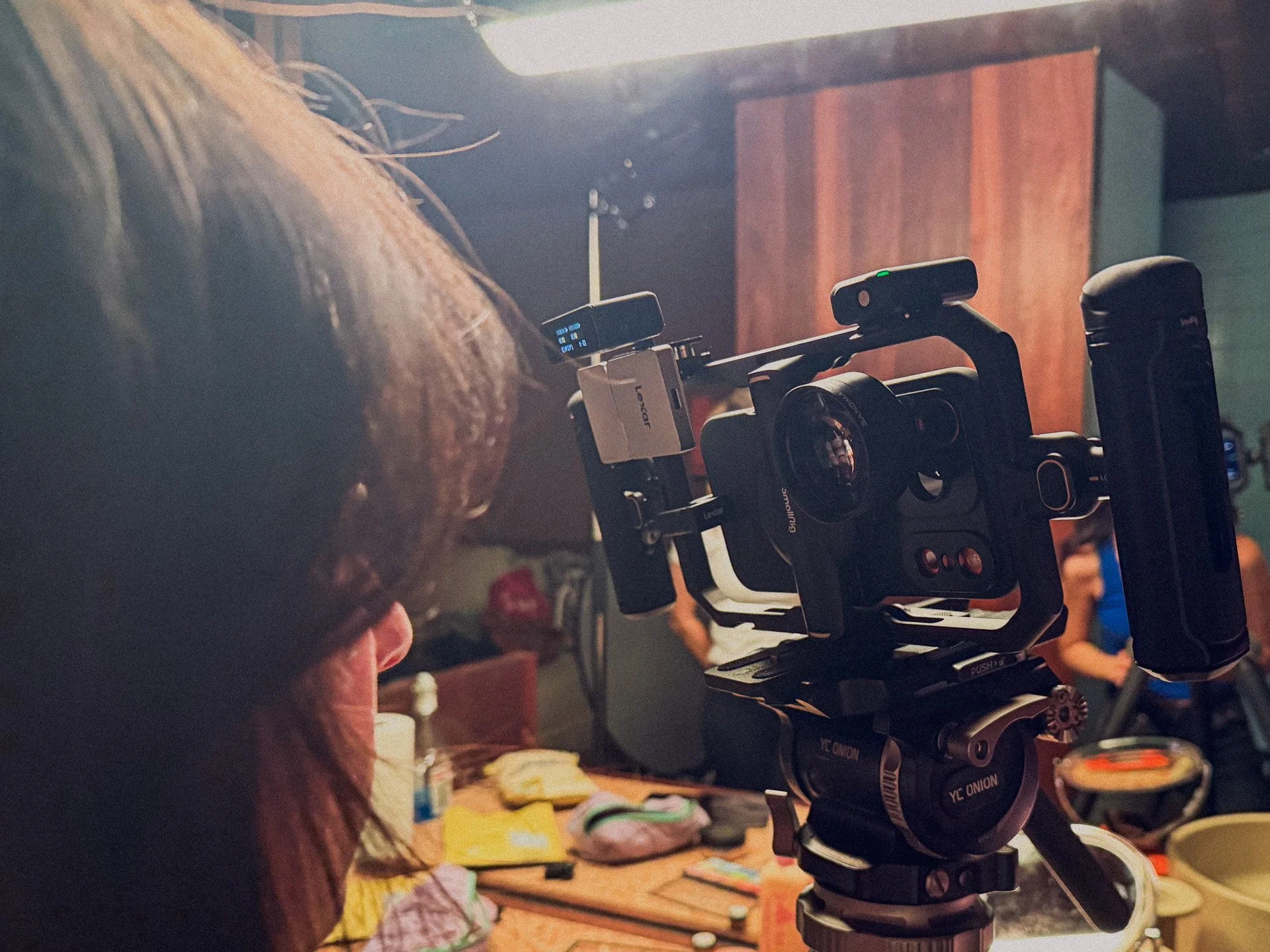
Attached to the iPhone 17 Pro with the Freewell Case and SmallRig cage for all the close-up shots.
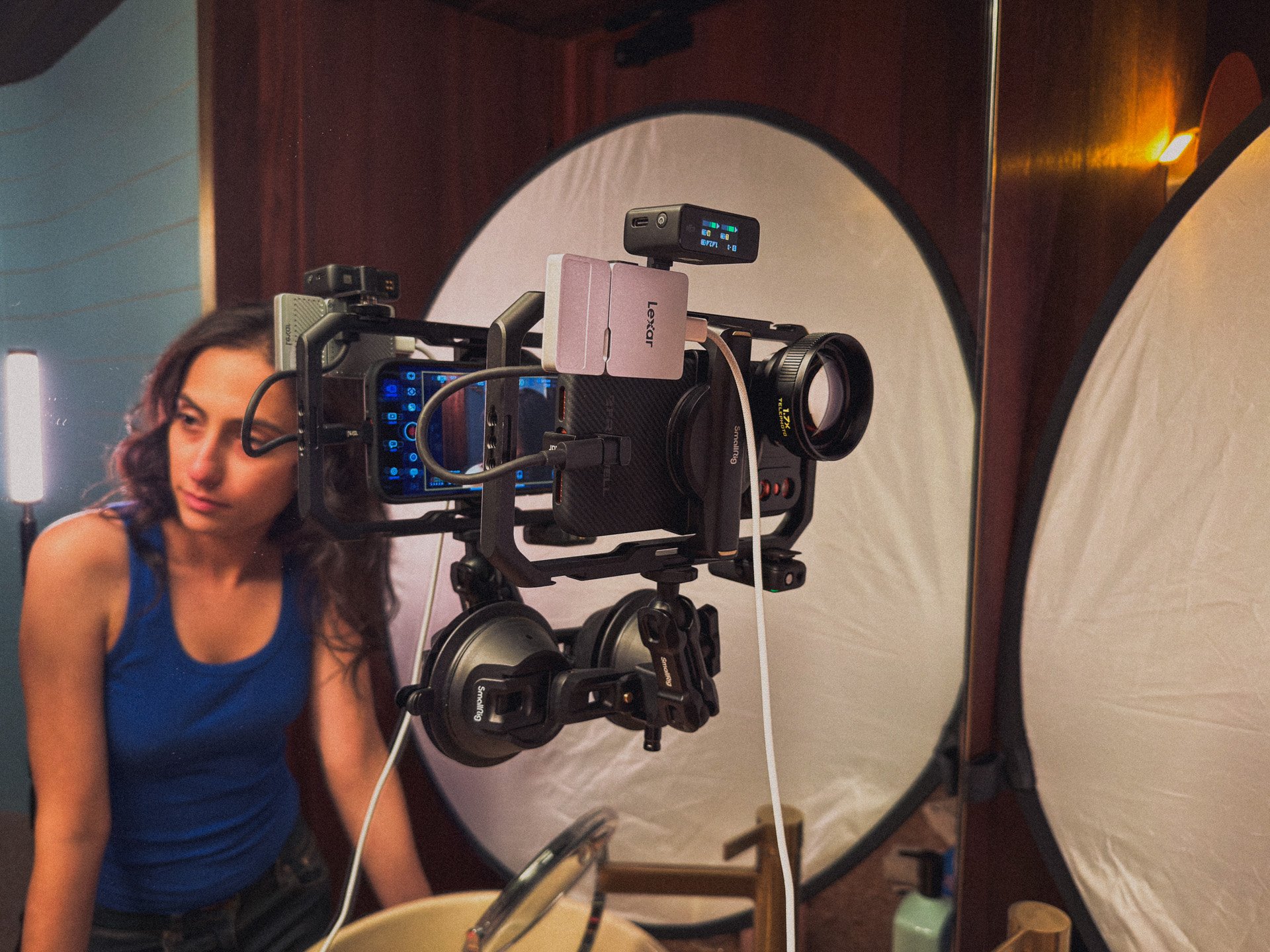
Attached to the iPhone 17 Pro with the Freewell Case and SmallRig cage for the mirror shots.
The Opengate Difference. Exporting on the entire iPhone 17 Pro Sensor.
Although this is our second iPhone short film, we’re we’ve shot the short on the iPhone 17 Pro utilising the Opengate sensor, This Close was exported and dispatch in the format. The iPhone has an Opengate sensor size of 4224 x 3024 or (1.39:1 aspect ratio), a little taller and narrower versus our most commonly used format, 1.5:1. Achieved through accessing the option in the Blackmagic Camera App for iOS, the overall larger sensor format I’ve found really increases viewer immersion in the frame, giving a much more expansive feel with the extra height and width.
Speaking of, when you directly compare how we were handling footage shot on the iPhone 16 Pro, where the sensor was a cropped 4k portion of the larger sensor (to which we then cropped even further), the field of view difference is night and day.
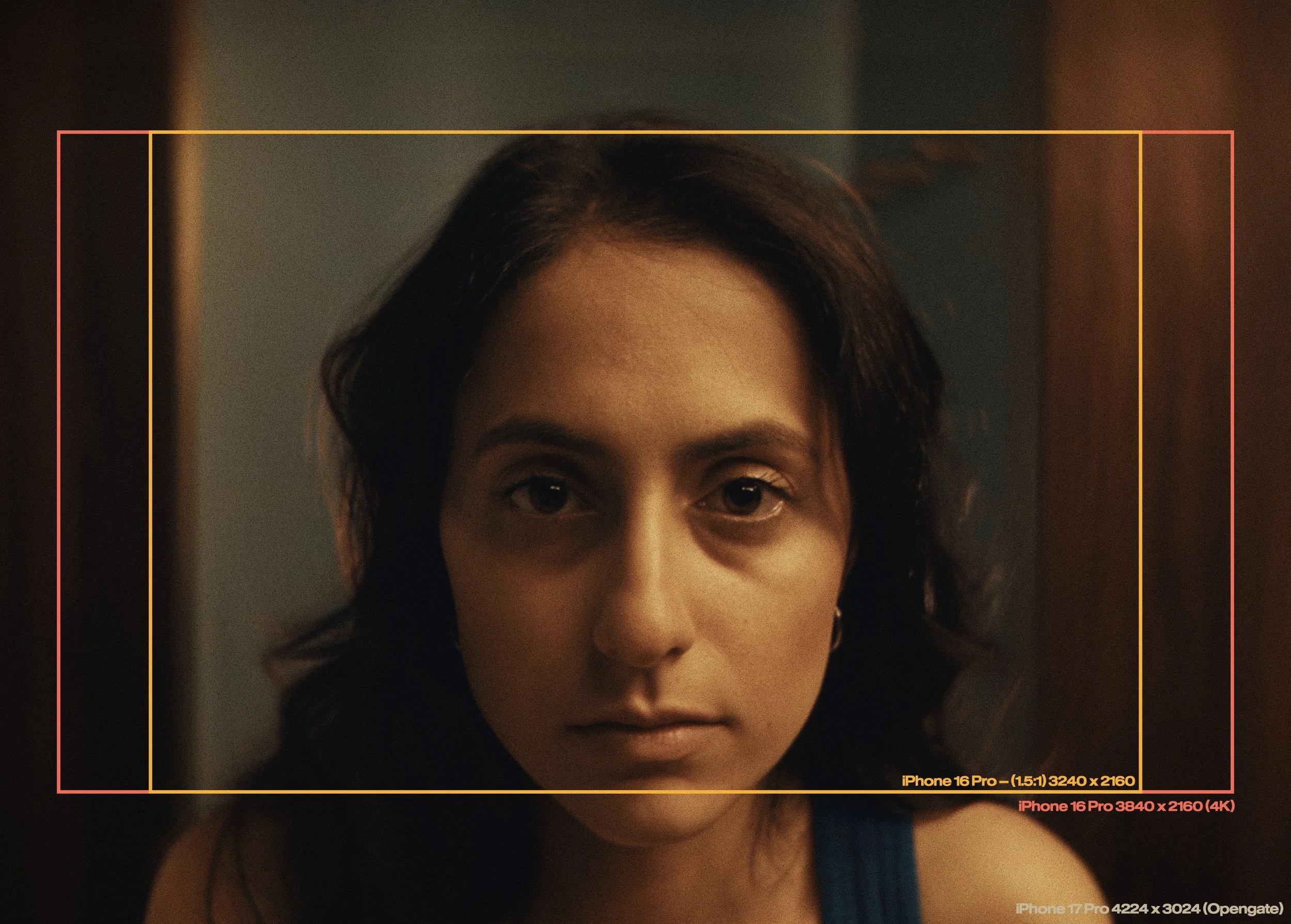
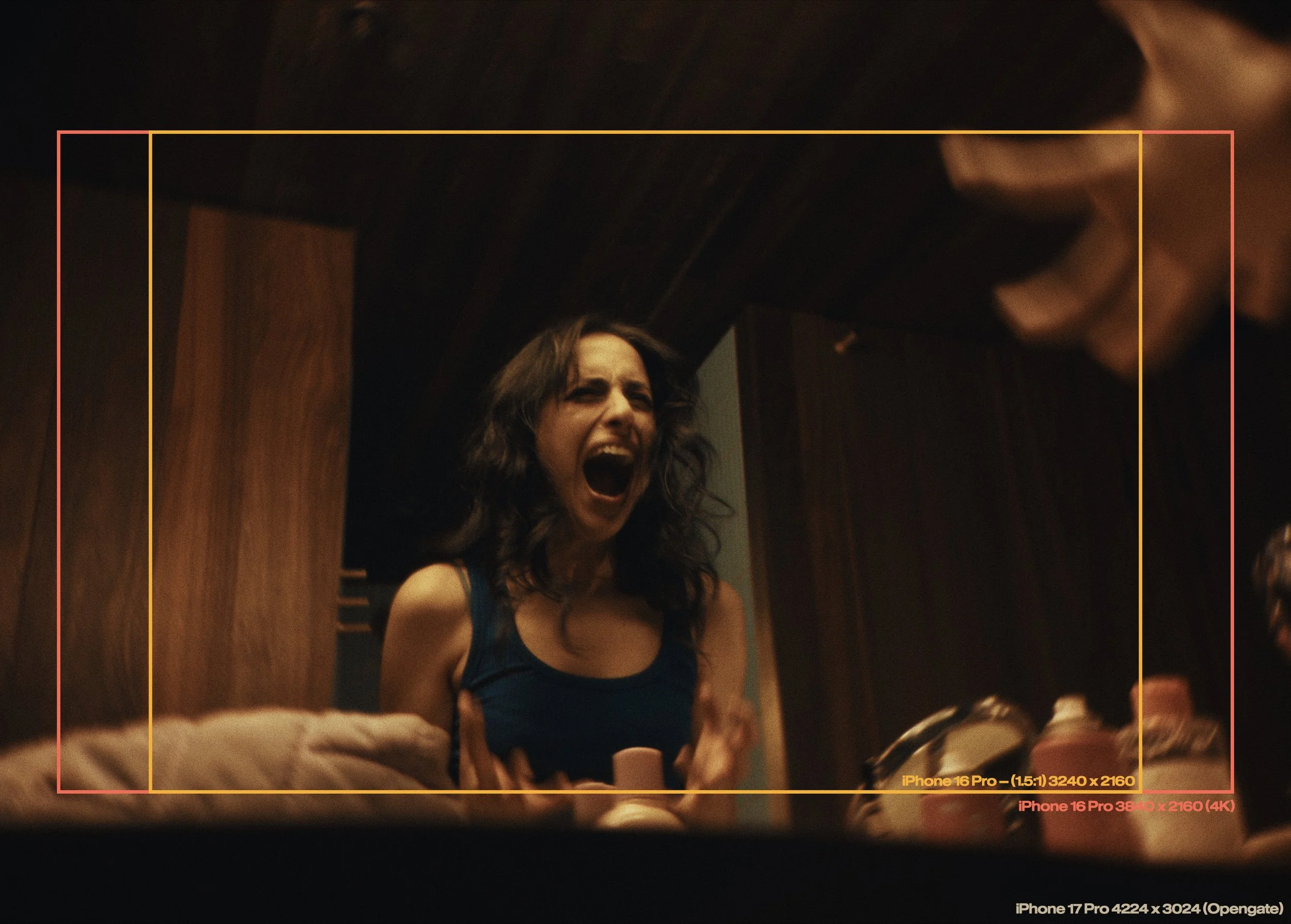
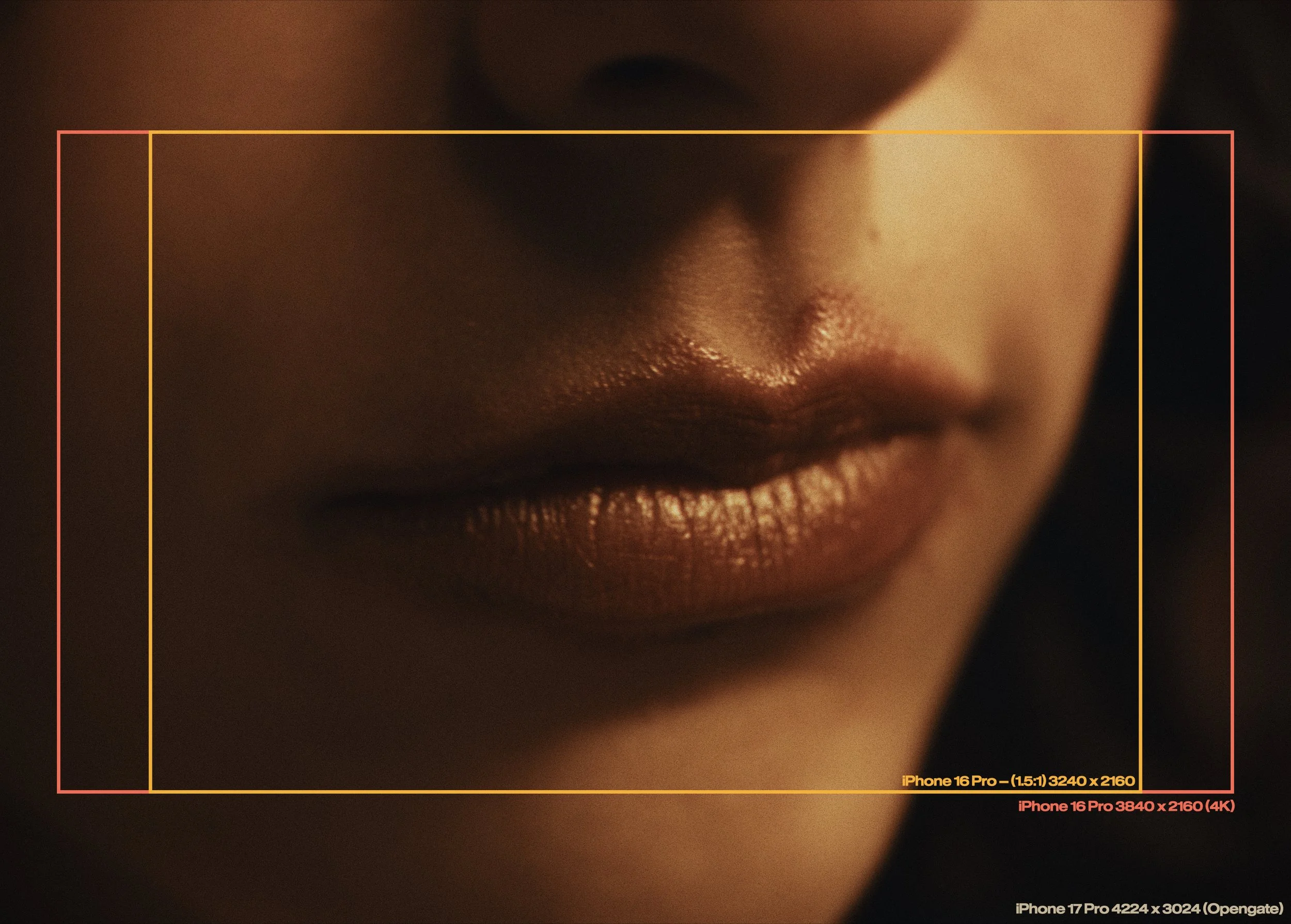
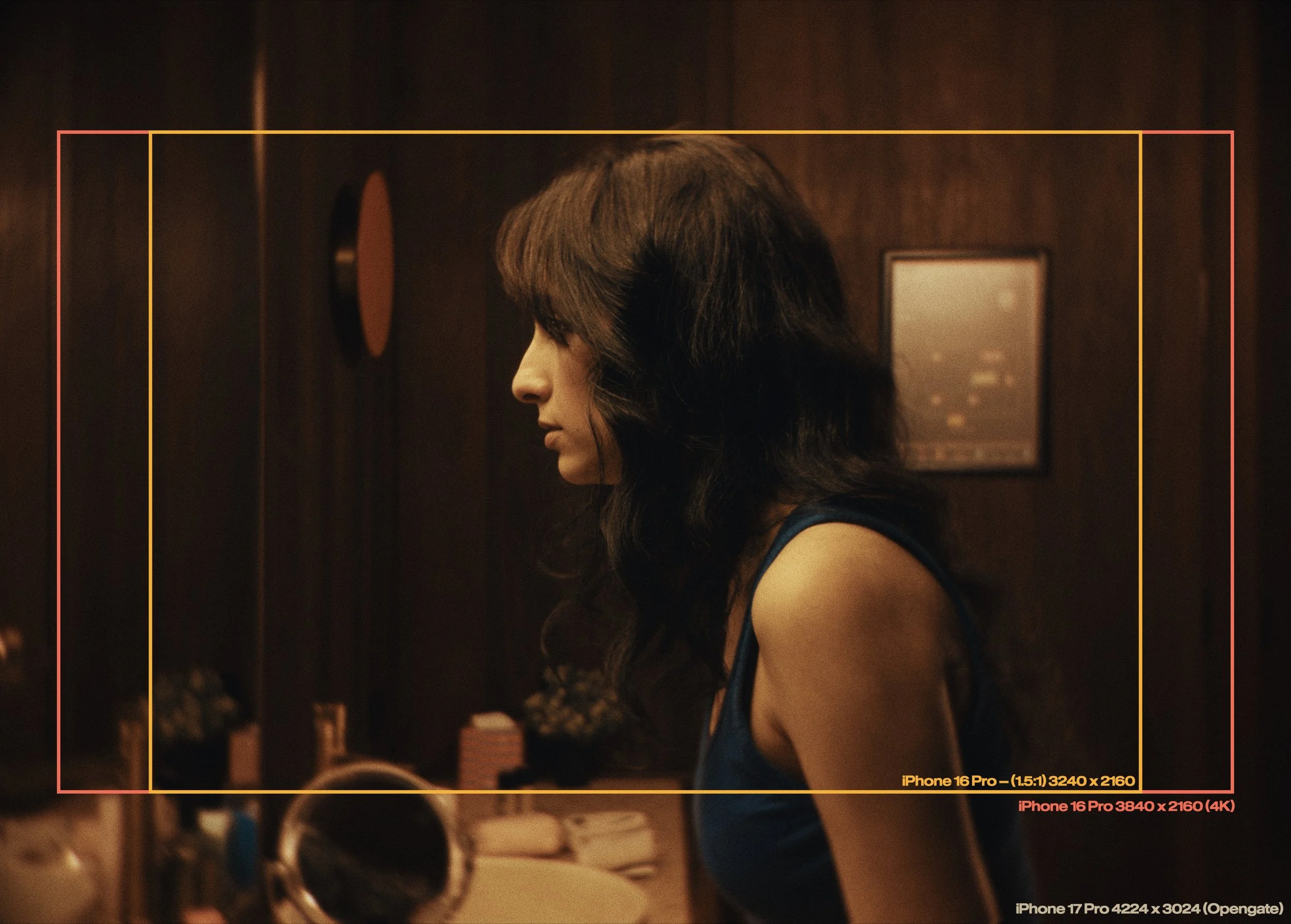
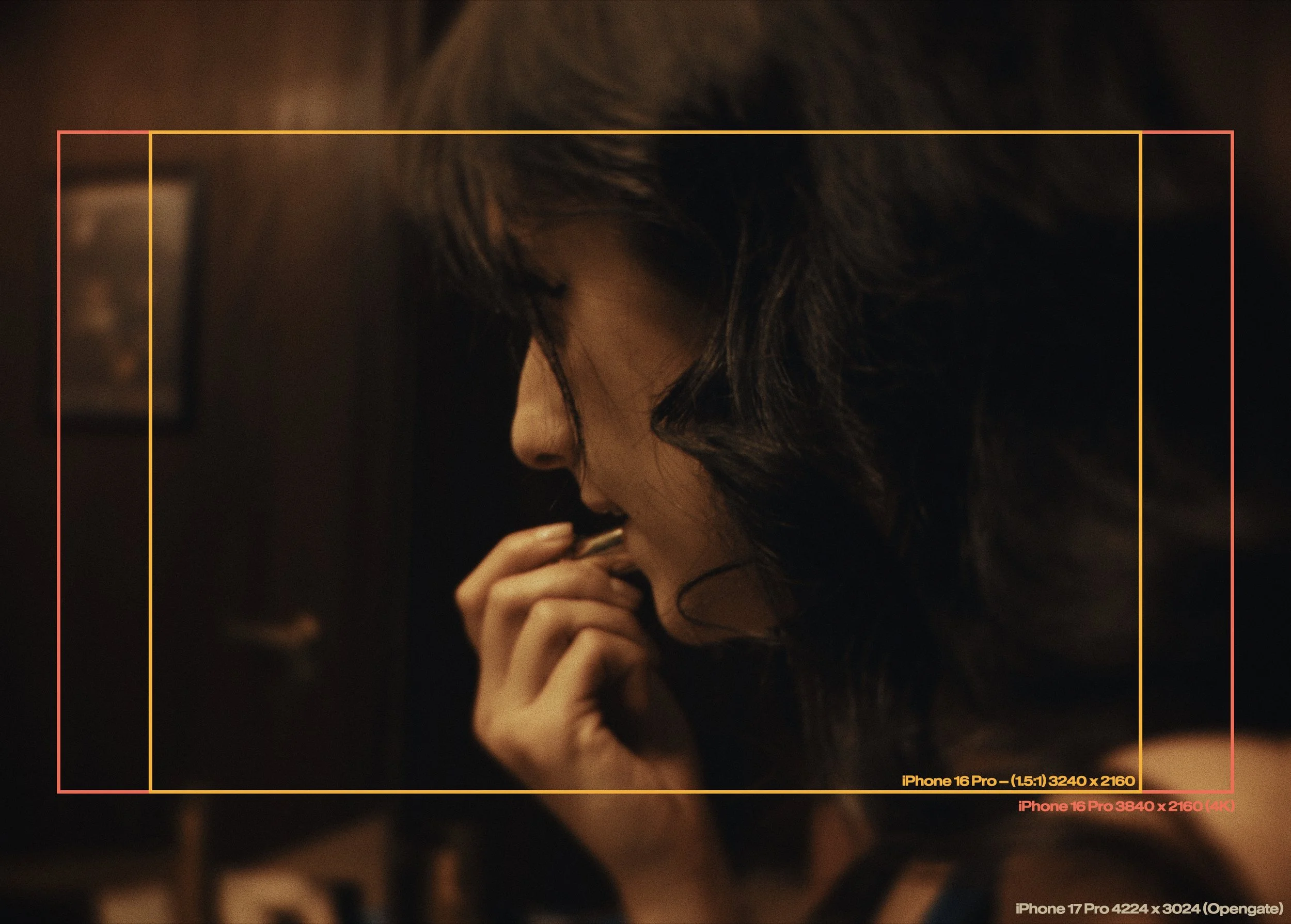
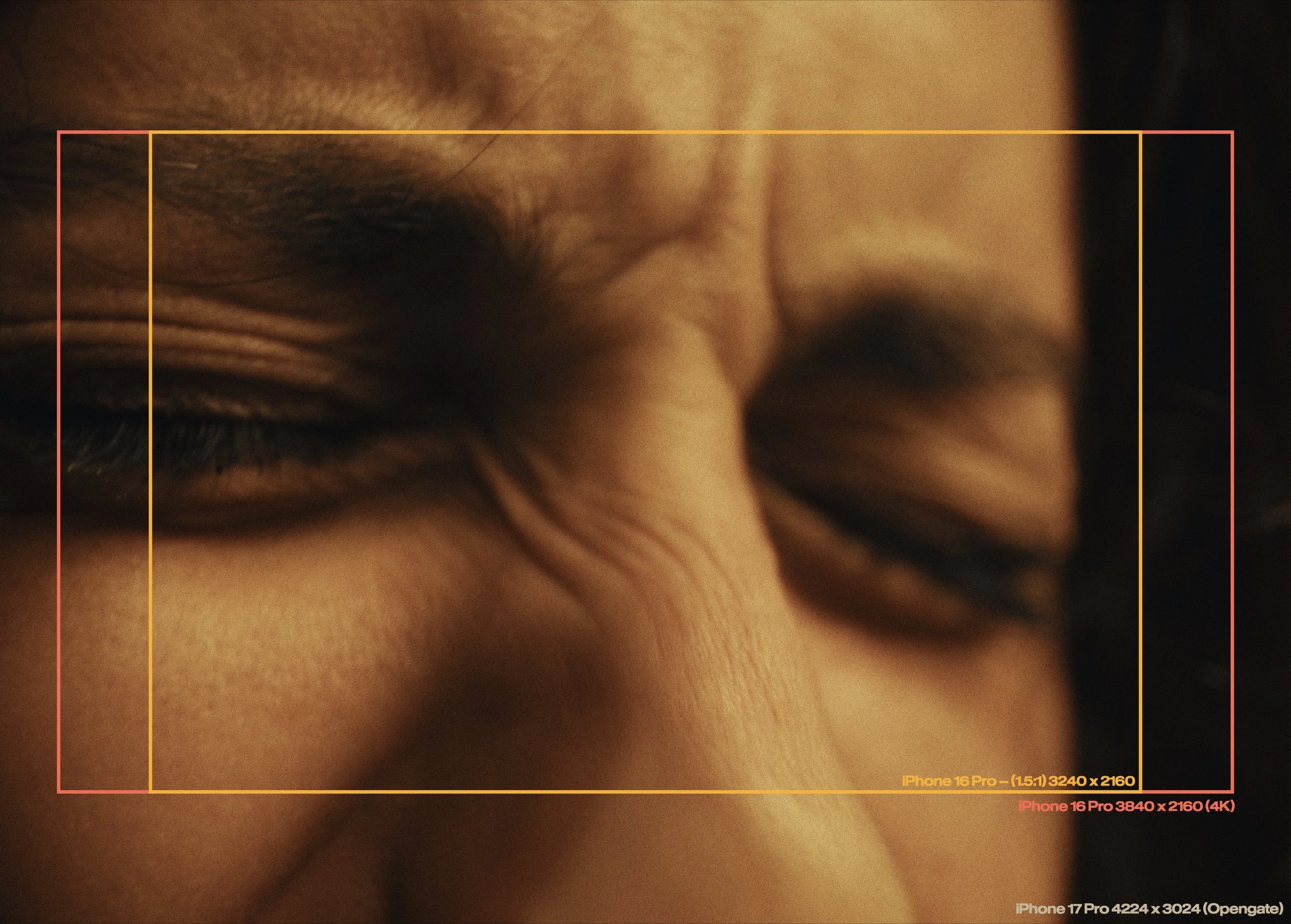
Wider shots are captured on the Freweell 40mm Telephoto (1.7x) and
Macro Shots on the Sandmarc 100mm Macro in Opengate on iPhone 17 Pro.
Shooting in ProRes RAW
In terms of software and shooting style, this was probably one of the most exciting features that was introduced to the iPhone 17 Pro (at least for me). I had shot Opengate before on iPhone, albeit in 3rd party apps that provided less than optimal experiences, but this time, supported in the Blackmagic app alongside the added fidelity and flexibility of ProRes Raw was the icing on the top of the cake that is using an iPhone as a fully-fledged cinema camera.
ProRes Raw enables changing camera settings in post such as ISO, white balance and other captured material, which is incredibly handy (albeit very taxiing on file sizes) in post. All the footage was graded in Davinci Resolve 20, utilising my Apple Log LUTS and power-grades which you can find here.
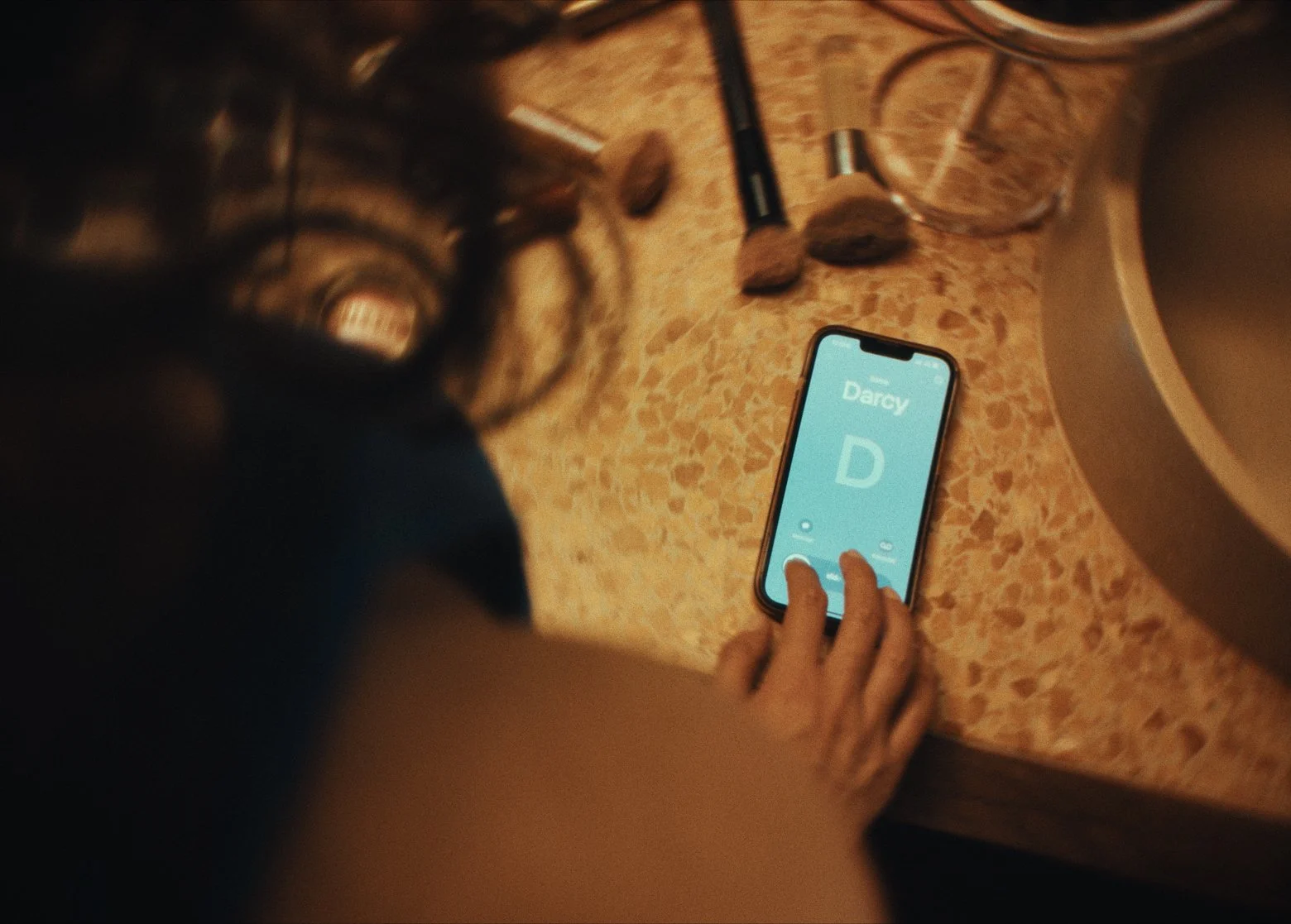
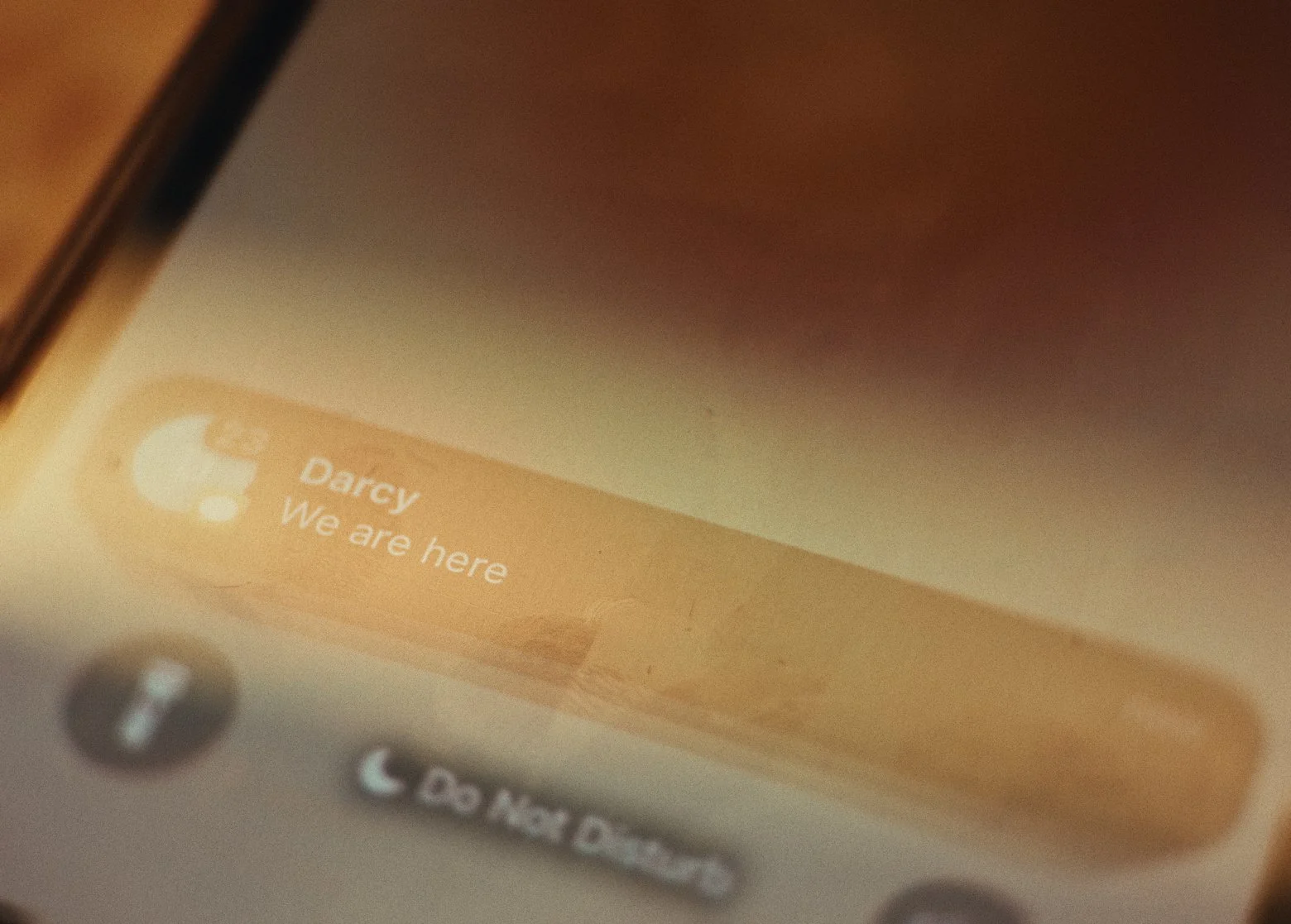
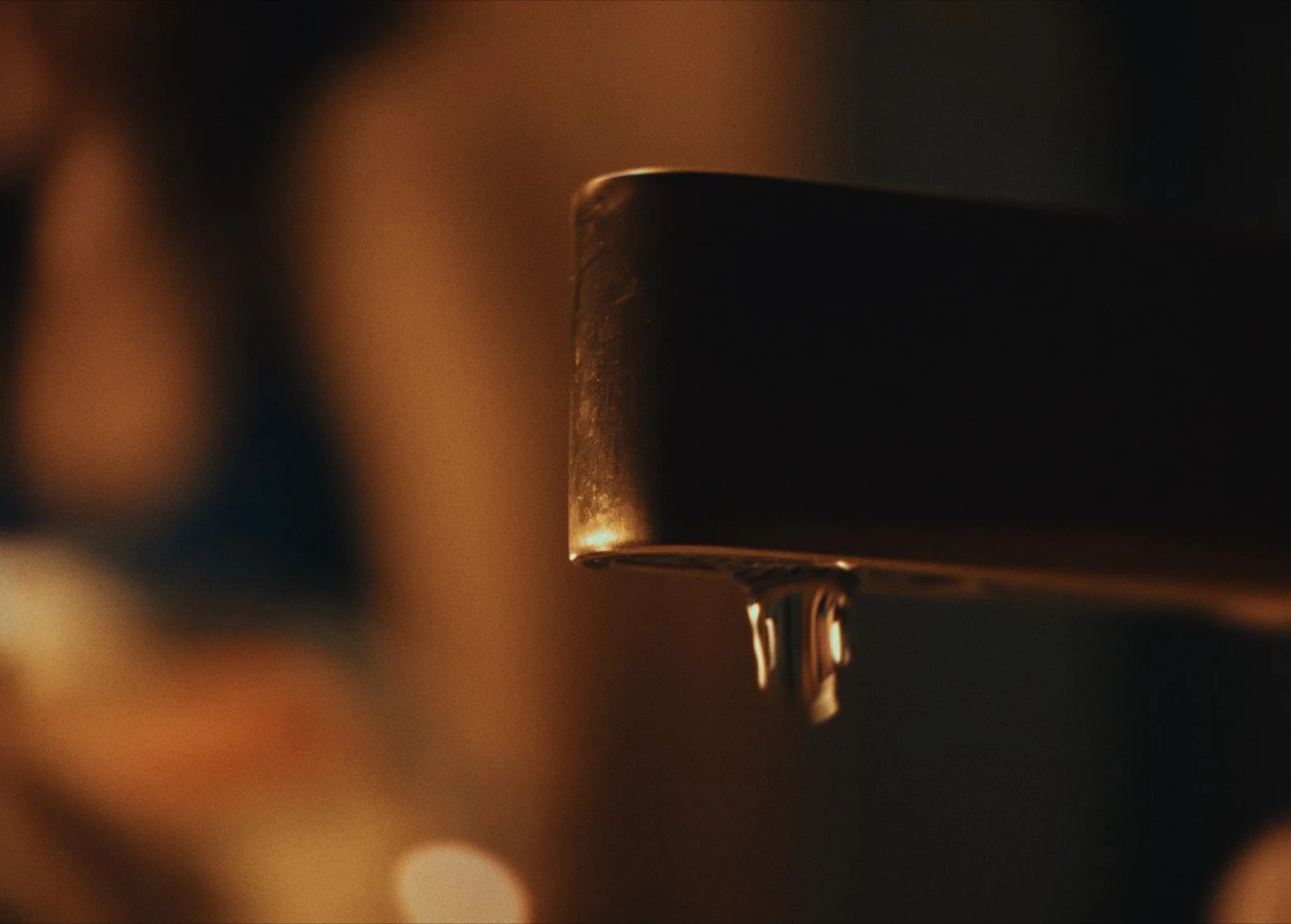
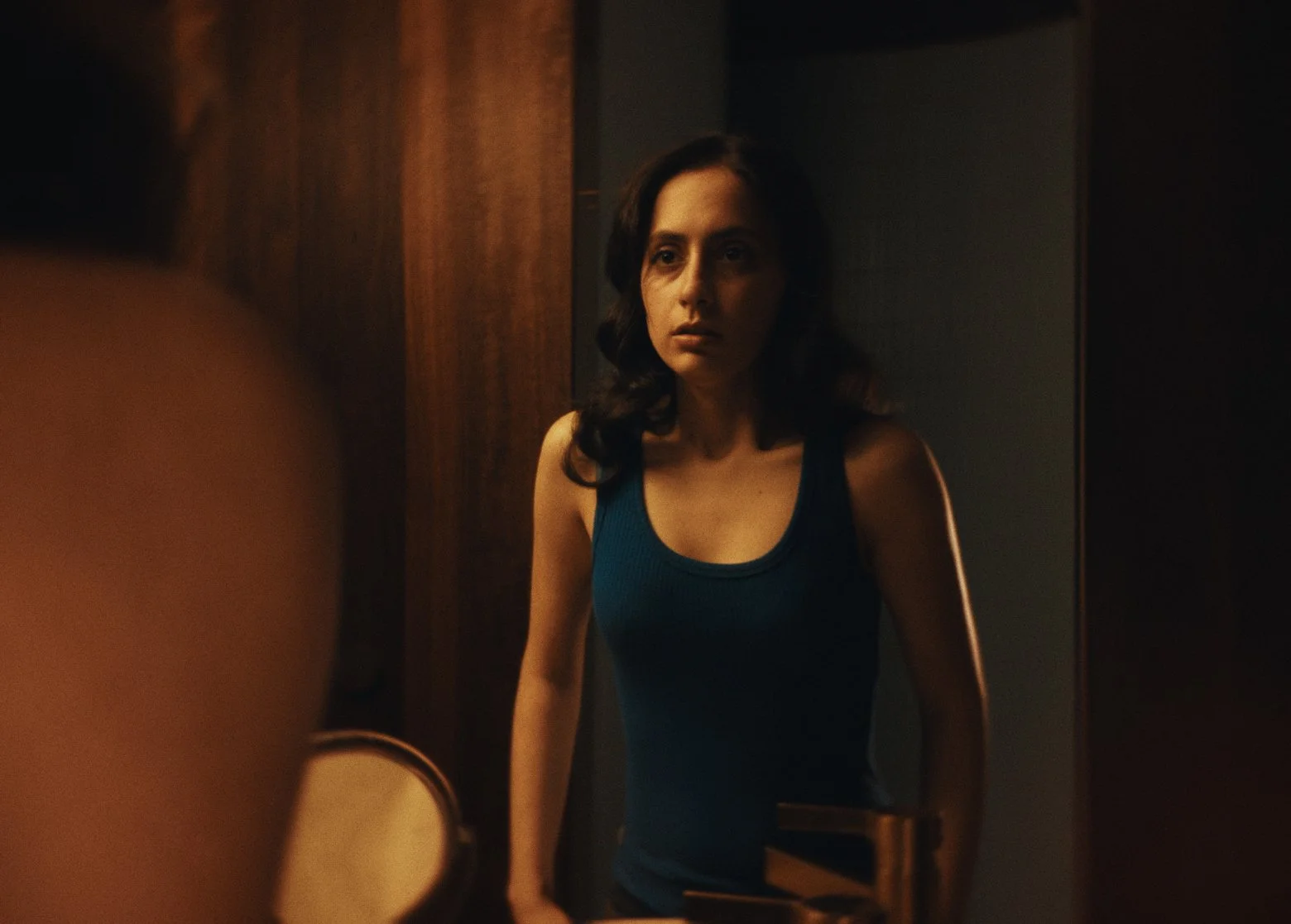
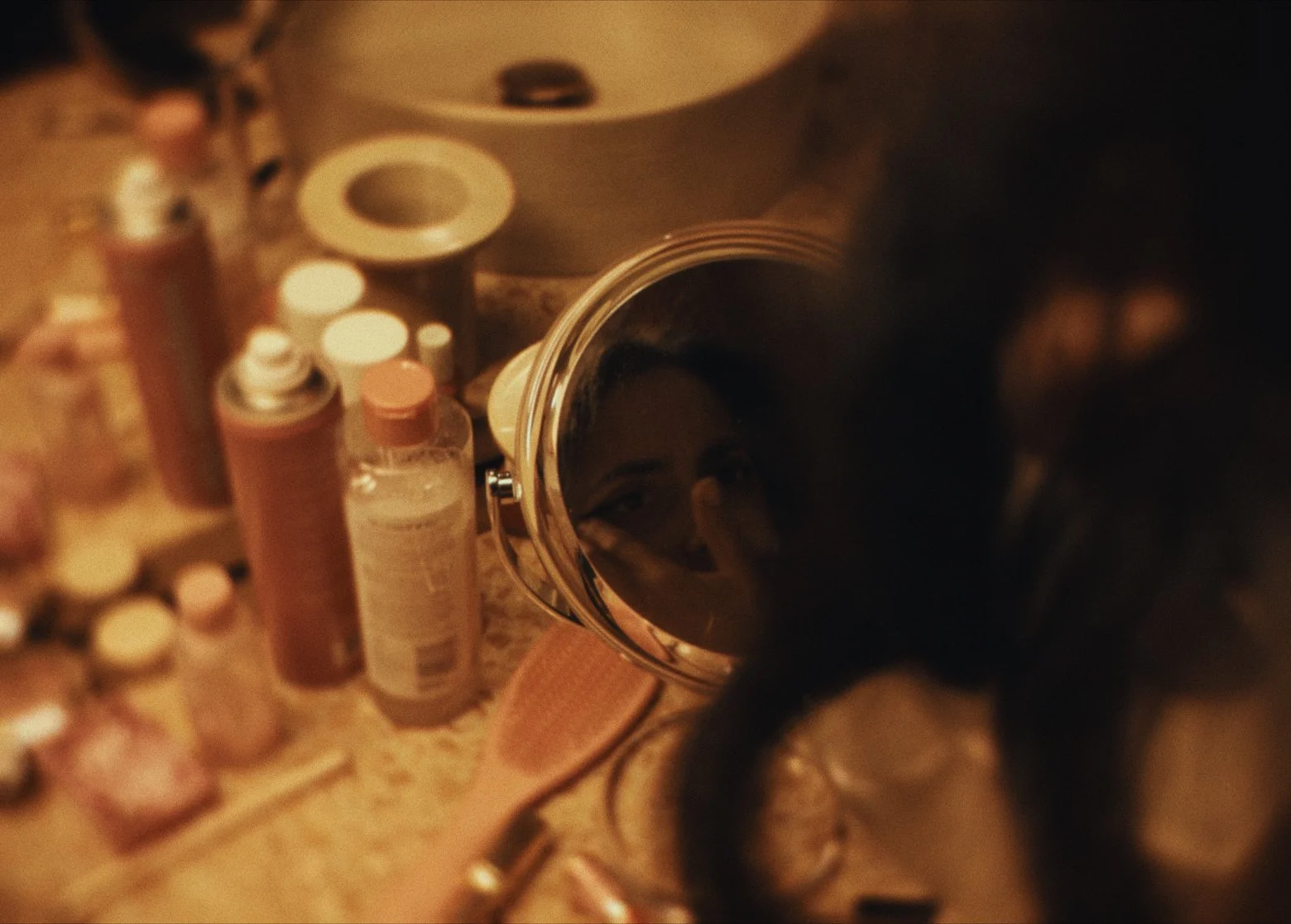
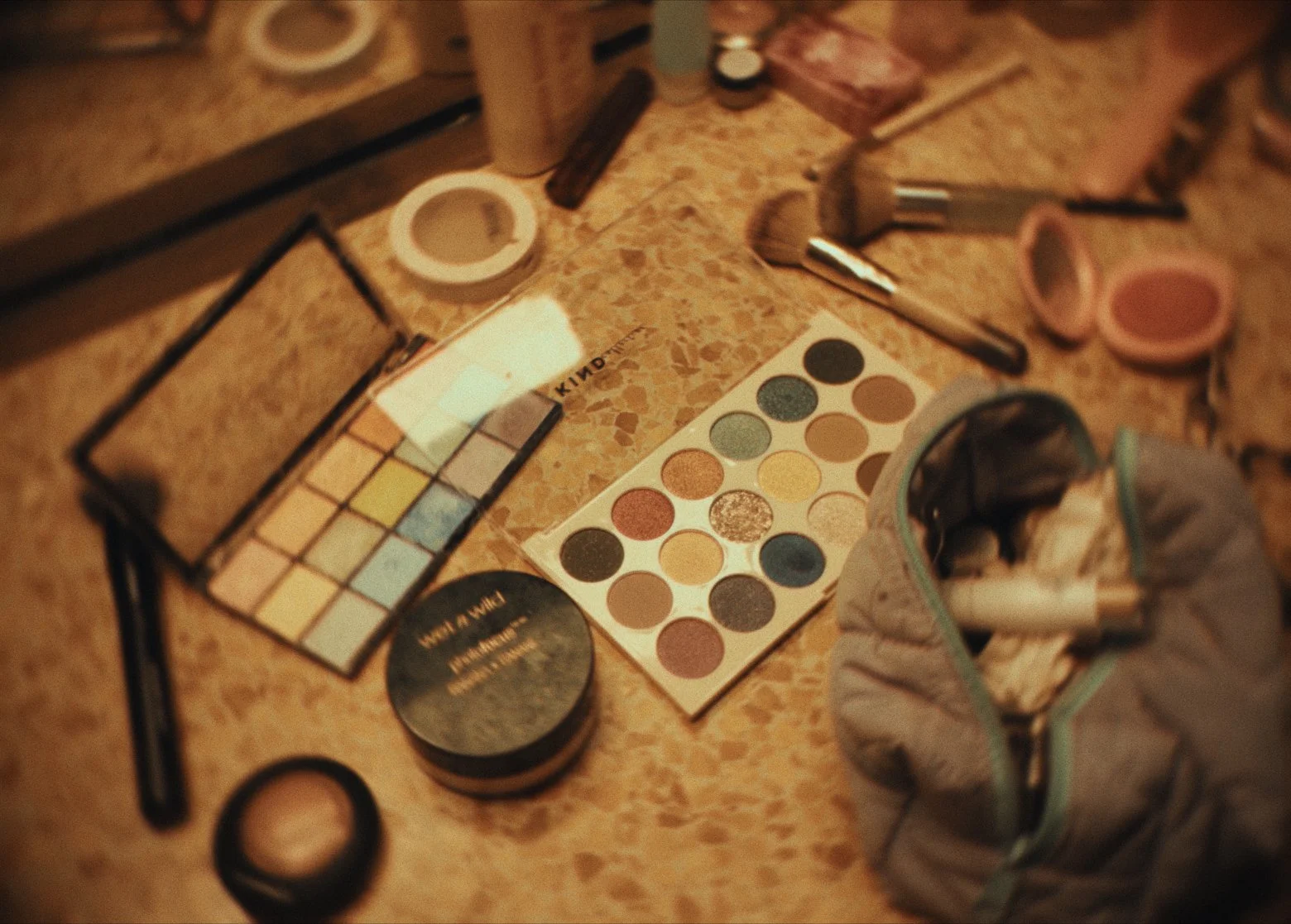
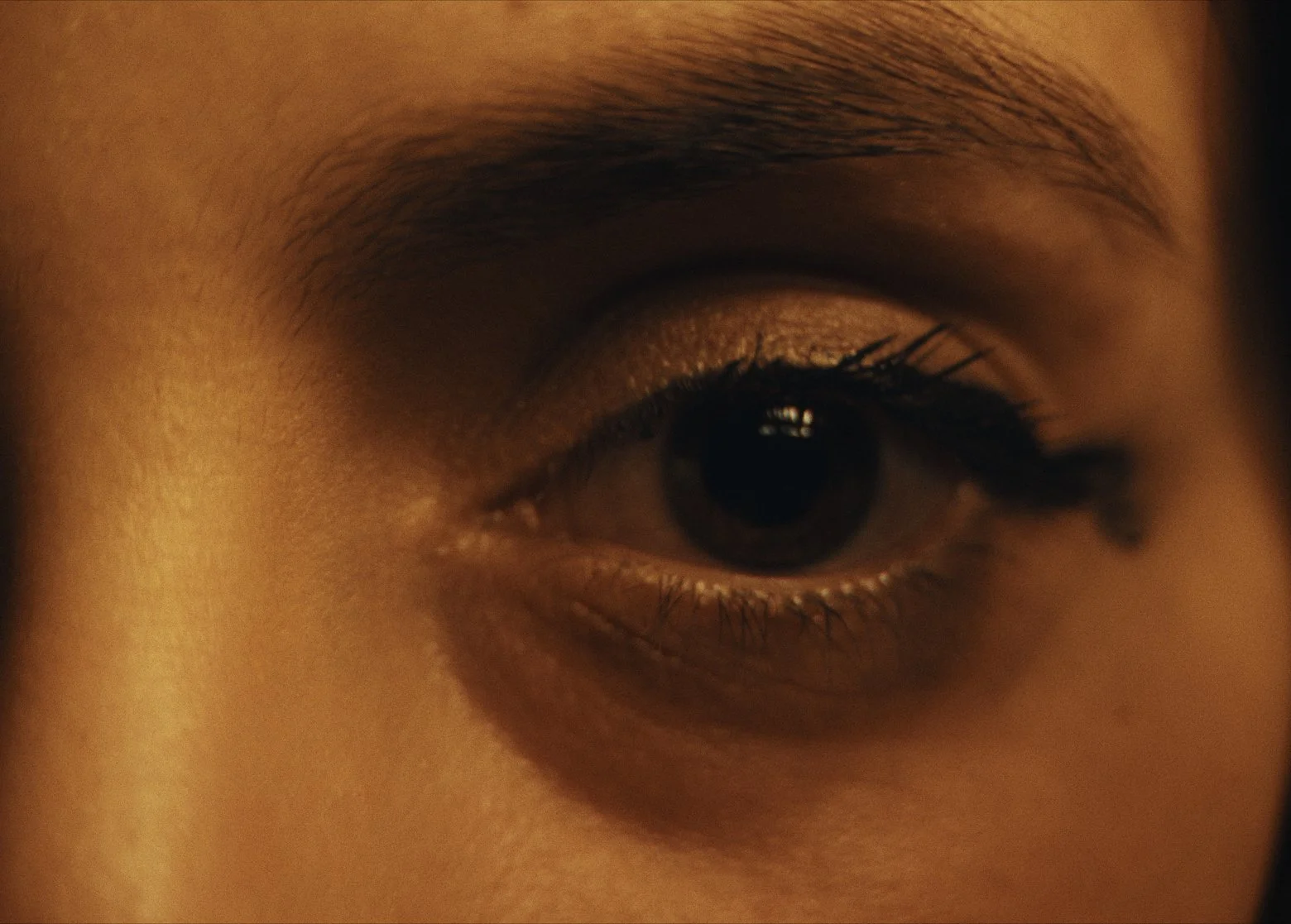
Full sensor Opengate readout captured in Apple Log 2 Pro Res Raw on the iPhone 17 Pro. (4224 × 3024).
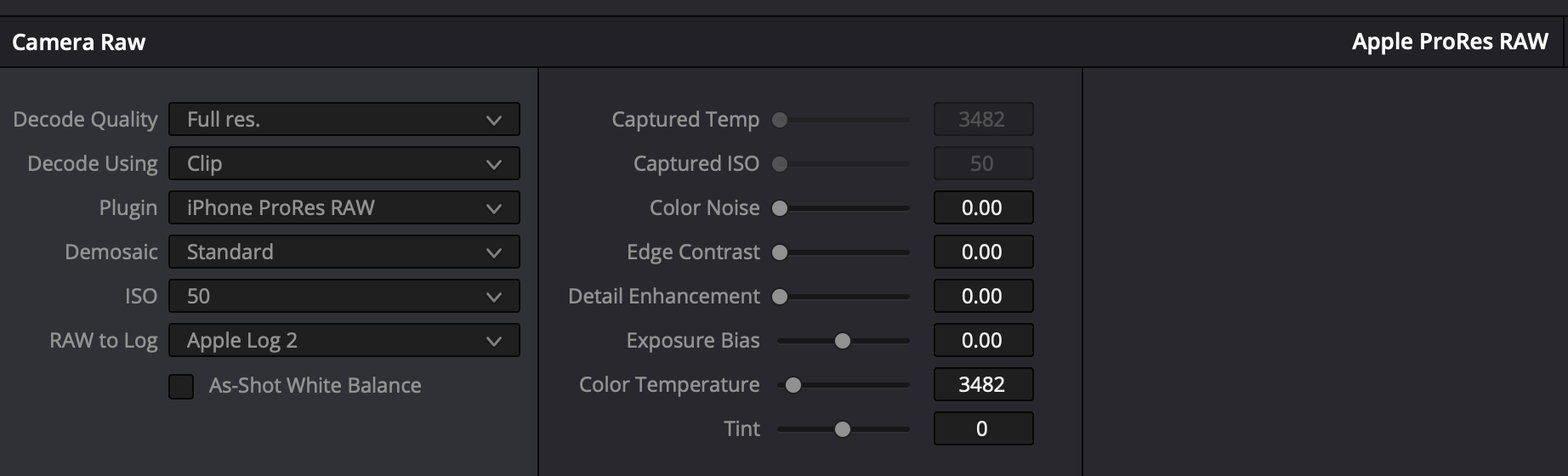
Editing Apple Log 2 Pro Res Raw settings captured in Davinci Resolve 20.
Color Grading
Like my other short films, I utilised my Apple Log power-grades and LUTS to convert the Apple Log footage into a look format. From there, I wanted to push a really warm tone with this short, alongside dabbling a lot into lens effects and blurring to add to the mental instability of our character. Utilising plenty of magic masks and subtle radial blurs to the background was a key element to achieve this.
A new plugin I also utilised on this short was Lens Node by Node Mill. It was my first time trying out this particular tool in Davinci Resolve, but it has a multitude of options to simulate specific older vintage lens looks. You can customise everything from sensor size effects, colour casts, bokeh behaviour and more. Albeit, given there’s a lot of computational tasks going on with this plugin, playback was quite slow on my M1 Max MacBook pro, but the results speak for itself, especially when viewing the film in a higher quality, which you can see linked below. Really looking forward to diving deeper into it, it’s truly a unique tool.
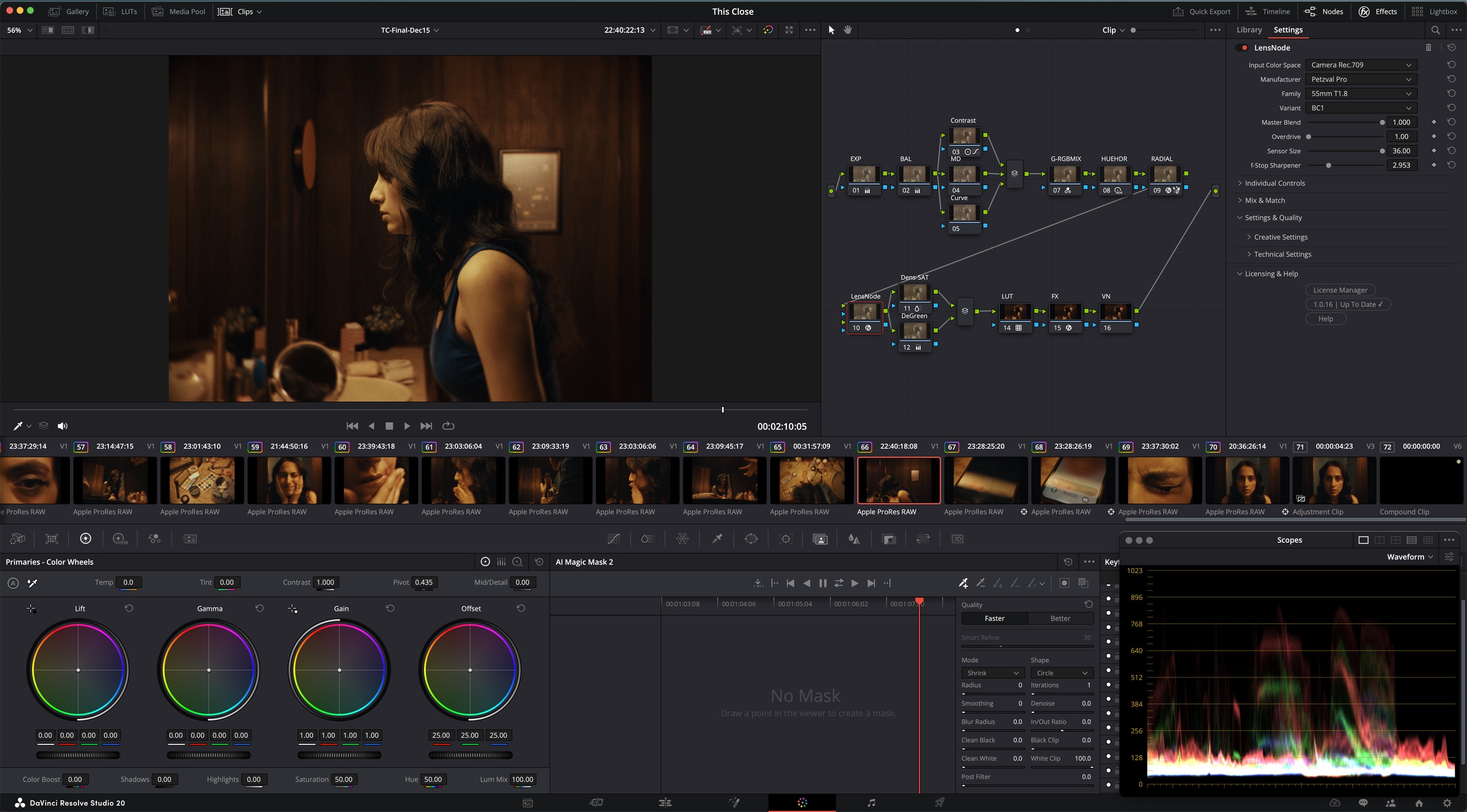
Utilising Petzval Pro was my base of choice, with a plenty of settings I tweaked following to get the look I was after.
Gear Used in this iPhone Short Film (with Links)
1.7x Telephoto Lens: https://amzn.to/484C7PY
Sandmarc Macro: https://bit.ly/4oSTYB9
ND Filter: https://amzn.to/43xCu47
Magnetic ND Filter Kit: https://amzn.to/49WzDWe
iPhone Camera Cage: https://amzn.to/49ZppV7
Freewell iPhone Case: https://amzn.to/3XXGsQl
Tripod: https://amzn.to/3JTAfBA
Tripod Attachment Clamp: https://amzn.to/41gV4vq
Gimbal: https://amzn.to/3HzfB8v
My Other Favorite iPhone Filmmaking Gear
Sandmarc Telephoto Lens: https://bit.ly/4lrEQc2
Sandmarc Wide Lens: https://bit.ly/4lpsilh
iPhone Case: https://bit.ly/4kRJdfB
Use code 'kirkmihelakos10' for 10% Off All Sandmarc Products
ND Filter: https://bit.ly/3RK6rHH
Cinema Haze Machine: https://bit.ly/4oCM7XZ
iPhone Filmmaking Cage: https://amzn.to/415WlWQ
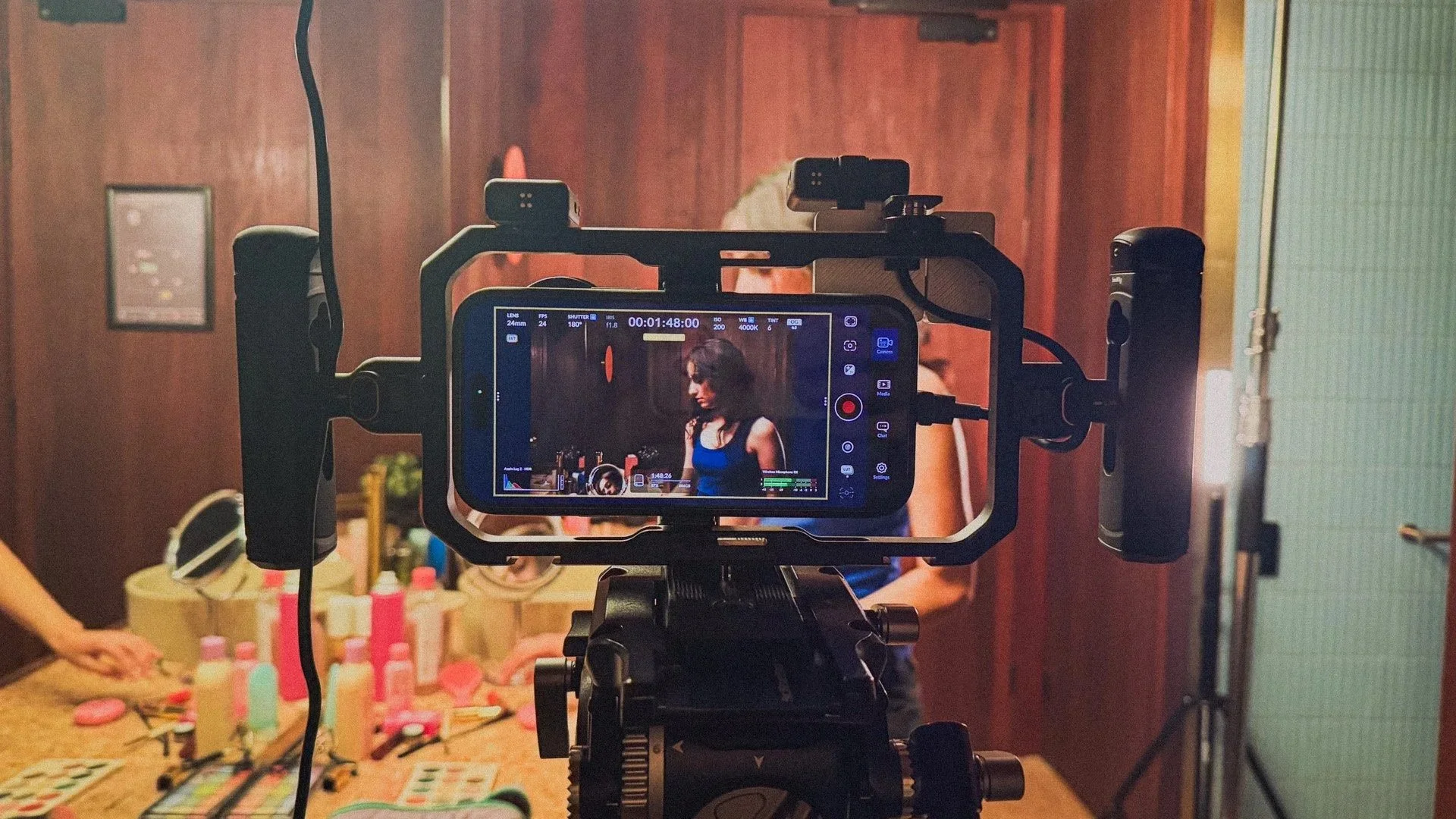
Behind the lens of our iPhone filmmaking setup in the confined hotel room set.
Frequently Asked Questions (FAQ)
-
iPhone 17 Pro Max 1TB. Utilsiing the Blackmagic camera app. Shot in Apple Log 2, Opengate using ProRes RAW for the codec.
-
Davinci Resolve 20
-
I follow a pretty standard process for all of my iPhone footage grades. Shoot in Apple Log in ProRes RAW for maximum color fidelity, and dynamic range + Bit-depth. Bring it into resolve, apply my Apple Log conversion LUT first, and work from there. I have a Powergrade template that I use in resolve to speed up the workflow too, which includes Davinci Resolves Film Look Creator.
-
Extremely straight forward setup, only really utilised my Amaran 200x and 100d for the mart sequences.
-
Freewell Pro and Neewer Lenses. ND filters varied from K&F and Freewell filters. Including utilisation on the main iPhone lens for some shots without external ND.
Film Links
High Quality 4K ProRes Upload
Want to watch This Close in an (almost) uncompressed format, check out this version below.
Review This Close on Letterboxd
If you would like to leave your feedback on the short, or just show some more support, feel free to log or review This Close on Letterboxd Here
YouTube Upload
Support the channel and watch the film here. Plus watch our other iPhone short films and behind-the-scenes videos.
